


In a crowded market of accounting software, Zoho Books distinguishes itself through sheer value and unprecedented automation capabilities. For businesses already utilizing other Zoho products—such as Zoho CRM, Zoho Inventory, or Zoho Projects—adopting Zoho Books is a no-brainer. It provides a unified, seamless flow of data across sales, operations, and finance without the need for expensive third-party connectors or fragile Zapier zaps.
Data silos are the enemy of efficiency, and Zoho's integrated suite approach demolishes them. When a lead in Zoho CRM is converted to a customer and a deal is won, a sales order or invoice can be automatically generated in Zoho Books. This single-source-of-truth architecture dramatically reduces duplicate data entry errors and ensures that both the sales team and the accounting department are always looking at the exact same numbers in real time.
Complete Zoho Ecosystem Integration
The true power of Zoho Books unlocks when it is deployed alongside the rest of the Zoho suite. Unlike other accounting tools that rely on API connectors to sync with CRMs, Zoho Books and Zoho CRM share a foundational data model. This means that a 'Customer' in Zoho Books is exactly the same entity as an 'Account' or 'Contact' in Zoho CRM. Updates made in one system reflect instantaneously in the other.
Beyond the CRM, the integration extends into Zoho Inventory, which seamlessly manages stock levels and syncs cost-of-goods-sold (COGS) directly to the general ledger in Books. Zoho People handles HR and payroll integration, automatically generating journal entries for payroll runs. Zoho Desk allows support agents to view a customer's payment history or overdue invoices right from the ticketing interface, empowering them to address billing inquiries without escalating to the finance team. Meanwhile, Zoho Sign enables legally binding e-signatures on estimates and contracts directly from the Zoho Books interface.

Workflow Automation Engine in Detail
What truly sets Zoho Books apart is its powerful workflow automation engine. Users can create highly customized rules that trigger specific actions based on defined criteria. The engine supports a robust combination of trigger types, action types, and condition builders, enabling businesses to digitize their unique operational playbooks.
Triggers can be set based on record creation, modification, or even scheduled timeframes. Condition builders allow for multi-layered logical checks (e.g., 'If invoice amount > $5000 AND customer is in VIP segment'). Once conditions are met, the system can execute a variety of actions, from sending email alerts to triggering webhooks or running custom Deluge scripts.
- Send a specialized discount offer to clients who pay their invoices within 24 hours.
- Automatically categorize expenses based on specific vendor names and amounts.
- Trigger a webhooks to notify external inventory systems the moment a payment is received.
- Route high-value purchase orders to the CFO for a multi-stage approval workflow.
- Apply a specific late fee percentage only to clients in certain geographical regions.
- Automatically create a follow-up task in Zoho CRM when an estimate is viewed but not accepted.
- Send a personalized 'Thank You' email from the CEO for purchases over $10,000.
- Auto-tag customers who have a history of late payments to alert the sales team.
- Generate and send a consolidated monthly statement to specific customer groups automatically.
- Run a custom Deluge script to calculate complex commission splits on paid invoices.
Client Portal Walkthrough
The Zoho Books Client Portal is a secure, branded environment where your customers can log in to manage their interactions with your business. From the customer view, they can see their complete transaction history, including pending estimates, active subscriptions, and paid or unpaid invoices.
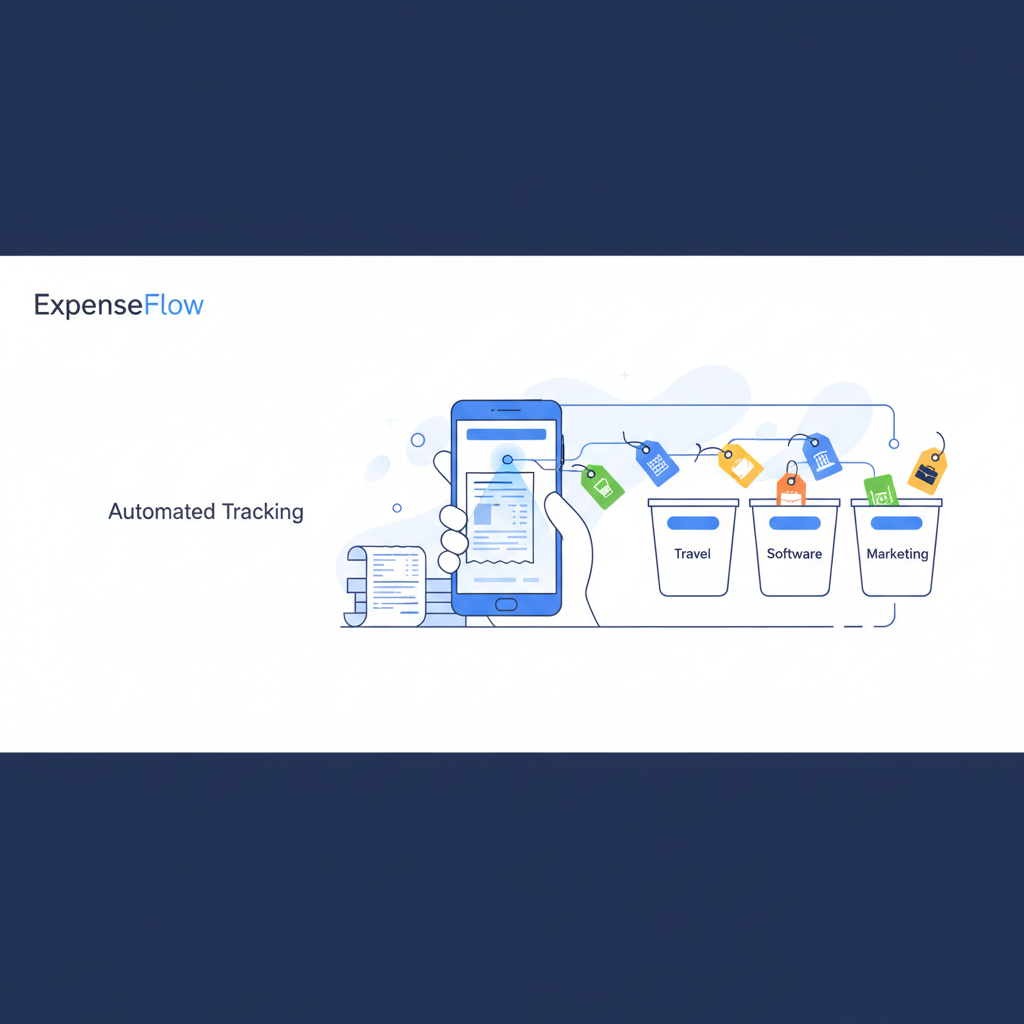
Self-service payments are a major highlight. Customers can securely save their credit card or bank account details on file via integrations with Stripe, Forte, or PayPal, allowing them to pay invoices with a single click. They can also review, negotiate, and accept estimates digitally. The portal even includes a communication feature where clients can comment directly on a specific invoice or estimate, keeping all correspondence contextually organized rather than buried in email threads.
Banking Module: Intelligent Feeds and Reconciliation
The banking module in Zoho Books connects directly to thousands of financial institutions globally. Bank feeds automatically import daily transactions, eliminating the need for manual CSV uploads. The auto-categorization engine uses machine learning to suggest the correct expense categories based on your past behavior.
Bank rules take this a step further, allowing you to define precise logic (e.g., 'If transaction description contains AWS, categorize as Software Subscriptions'). Reconciliation is a breeze with a dedicated interface that matches bank statement lines against recorded transactions, highlighting discrepancies and ensuring your books are always accurate and ready for tax season.
Invoicing Deep Dive
Zoho Books handles the entire lifecycle of receivables with grace. You can easily set up recurring invoices for subscription-based services, configuring them to auto-charge the customer's saved payment method. Retainer invoicing allows you to collect upfront deposits and automatically apply those funds to future invoices.
Handling edge cases is straightforward: credit notes can be issued for returns or overpayments, and automatic payment reminders ensure you don't have to awkwardly chase down clients. If clients are chronically late, the system can automatically apply late fees based on a fixed amount or percentage. Furthermore, multi-currency invoicing is supported natively, automatically fetching live exchange rates and recording realized or unrealized exchange gains and losses.
Expense Tracking and Management
Tracking outgoing cash is just as critical. The platform features robust receipt scanning via the mobile app—simply snap a photo, and the OCR engine extracts the date, vendor, and amount. Mileage tracking is also built-in, perfect for consultants or sales reps logging travel for reimbursements.
For more complex organizations, per diem rates and multi-level reimbursement workflows ensure compliance with company spending policies. Employees can submit expense reports, which are then routed to managers for approval before being queued for payment by the finance team.
Inventory Management Capabilities
For product-based businesses, Zoho Books includes surprisingly robust inventory management right out of the box. You can track stock levels using FIFO (First-In-First-Out) or LIFO accounting methods. It supports composite items (kitting), allowing you to bundle individual SKUs into a single sellable product.
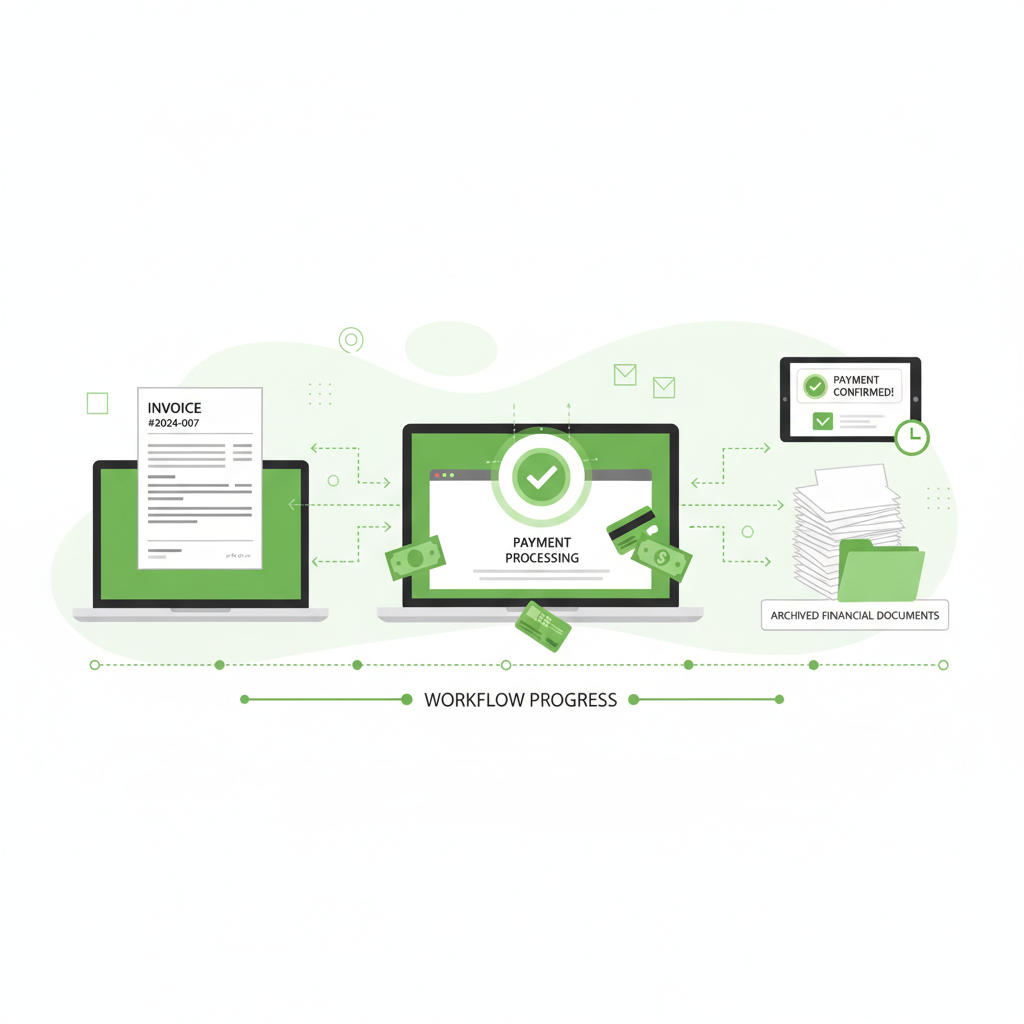
Managing multiple warehouses is natively supported, alongside tracking shipments and defining custom reorder points to prevent stockouts. It supports full sales order and purchase order workflows, tracking an order from the initial quote to final delivery.
"Zoho Books proves that you don't need a massive enterprise IT budget to access sophisticated, automated accounting and inventory workflows."
Project Time Tracking and Billing
Service businesses aren't left out. The integrated project module allows teams to track time against specific tasks using built-in timers or manual timesheets. This project billing capability seamlessly translates logged hours into client invoices based on staff rates or task rates.
Task-level tracking provides granular insight into where your team's time is going, while profitability reports compare the total billed revenue against the labor costs, ensuring your service business maintains healthy margins.
Global Tax Compliance
From a compliance standpoint, Zoho Books is meticulously designed to handle complex tax regulations globally. Whether you are dealing with US multi-state sales tax, EU VAT rules, UK Making Tax Digital (MTD) mandates, Australian GST and BAS generation, or Indian GST compliance, the software automatically applies the correct rates based on the customer's location and the items sold.
Mobile App Walkthrough: Managing Finances on the Go
In today's fast-paced business environment, having access to your financial data from anywhere is not just a luxury, it is a necessity. The Zoho Books mobile app, available on both iOS and Android platforms, provides an exceptional user experience that rivals its desktop counterpart. It empowers business owners, sales representatives, and field technicians to perform critical financial tasks without needing to be tethered to a desk. The intuitive design ensures that even complex operations, such as generating estimates or logging multi-currency expenses, can be completed with just a few taps on a smartphone or tablet.
One of the standout features of the mobile app is its capability to create and send invoices on the go. Imagine completing a service call at a client's location and instantly generating a professional, branded invoice right from your phone. You can add line items, apply discounts, and email the invoice directly to the client before you even leave their premises. Furthermore, the app supports offline syncing, meaning that if you find yourself in an area with poor connectivity, you can still draft invoices and record expenses. The app will automatically sync the data with the cloud the moment a stable internet connection is re-established, ensuring that no information is lost.
Expense capture is another area where the Zoho Books mobile app shines brightly. Utilizing advanced Optical Character Recognition (OCR) technology, the app allows users to take a photo of a physical receipt and automatically extracts key details such as the date, vendor name, and total amount. This eliminates the tedious process of manual data entry and drastically reduces the likelihood of errors. For professionals who travel frequently, the built-in mileage tracking feature is a game-changer. By leveraging the GPS capabilities of your mobile device, the app can automatically track the distance traveled for business purposes and calculate the reimbursable amount based on pre-defined mileage rates, seamlessly integrating these costs into your expense reports.
Staying informed about your cash flow is effortless with the app's robust notification system. Users can configure push notifications to alert them the moment a client views an estimate, accepts a quote, or makes a payment online. This real-time visibility into customer interactions allows businesses to follow up promptly and maintain healthy cash flow. The dashboard provides a quick snapshot of total receivables, payables, and bank balances, enabling executives to make informed financial decisions from anywhere in the world. The mobile app transforms your smartphone into a powerful financial command center.
- Instantly create and send branded invoices from your mobile device immediately after completing a job.
- Capture physical receipts using the built-in camera and leverage OCR technology for automated expense entry.
- Track business mileage automatically using GPS and calculate reimbursements based on standard rates.
- Receive real-time push notifications when clients view estimates, accept quotes, or complete online payments.
- Work continuously with offline mode support, which syncs your data seamlessly once connectivity is restored.
API and Developer Platform Deep Dive
For technology-forward organizations and businesses with highly specialized requirements, the extensibility of an accounting platform is paramount. Zoho Books offers a world-class developer platform centered around a comprehensive, well-documented RESTful API. This API exposes nearly every entity within the system, from contacts and invoices to journal entries and chart of accounts. Developers can easily build custom integrations to connect Zoho Books with proprietary internal systems, specialized industry software, or emerging e-commerce platforms that might not have native connectors available. The API utilizes OAuth 2.0 for secure authentication and supports standard JSON payloads, making it highly accessible for modern development teams.
Beyond basic API calls, Zoho Books excels in event-driven architecture through its robust webhooks functionality. Webhooks allow the system to push real-time notifications to external applications whenever a specific event occurs within Zoho Books. For example, the moment a payment is successfully processed, a webhook can instantly notify your custom inventory management system to release the goods for shipping. Similarly, when a new customer is created in Books, a webhook can trigger an onboarding sequence in a third-party marketing automation tool. This real-time data flow eliminates the need for resource-intensive polling scripts and ensures that all your business systems remain perfectly synchronized.
The crown jewel of the Zoho Books customization suite is Deluge (Data Enriched Language for the Universal Grid Environment), Zoho's proprietary, low-code scripting language. Deluge allows administrators to write custom functions that execute complex business logic directly within the Zoho environment, without needing to host external middleware. You can trigger Deluge scripts based on workflow rules, custom buttons, or scheduled jobs. This capability empowers businesses to automate intricate processes that would be impossible in traditional accounting software, effectively turning Zoho Books into a highly adaptable financial operating system.
To illustrate the power of Deluge, consider these three specific examples of custom functions. First, a business could write a script that automatically calculates and applies a complex, tiered early-payment discount based on the customer's historical lifetime value, executing the moment an invoice is generated. Second, a script could be triggered when a purchase order is approved, fetching live currency exchange rates from an external API and updating the expected costs in a custom field, providing highly accurate cost projections. Third, a custom function could automatically split commission payments among multiple sales representatives based on varying percentages defined in a custom module, generating the appropriate journal entries without manual intervention.
Furthermore, the developer platform extends into reporting. While Zoho Books provides an impressive array of standard reports, developers can leverage the API and integration with Zoho Analytics to build highly complex, customized reports. By writing custom SQL queries or using the drag-and-drop interface in Zoho Analytics, businesses can blend financial data from Zoho Books with operational data from other systems. This enables the creation of sophisticated executive dashboards that provide deep, actionable insights into profitability across different dimensions, such as product lines, geographic regions, or specific customer segments, all updated in real time.
"The combination of webhooks and Deluge scripting elevates Zoho Books from a standard accounting tool to a fully customizable financial engine that can adapt to virtually any complex business requirement."
Security and Compliance Architecture
When it comes to financial data, security and compliance are non-negotiable. Zoho Books is built upon a foundation of enterprise-grade security protocols designed to protect sensitive financial information against unauthorized access and data breaches. The platform is SOC 2 Type II compliant, demonstrating that Zoho adheres to rigorous standards for security, availability, processing integrity, confidentiality, and privacy. All data transmitted between your browser and Zoho's servers is protected using industry-standard 256-bit TLS encryption, ensuring that intercepted data remains completely unreadable. Furthermore, data at rest is also encrypted, providing an additional layer of security against physical server compromise.
Access control is highly granular, allowing organizations to enforce the principle of least privilege. Zoho Books offers role-based access control (RBAC) with over ten predefined roles, ranging from basic 'Staff' to full 'Administrator'. Additionally, administrators can create highly customized roles, defining exactly which modules, records, and actions each user is permitted to access. This means you can grant a sales representative the ability to view estimates and invoices for their specific clients, while explicitly denying them access to the general ledger, banking feeds, or payroll data. This strict segregation of duties is critical for preventing internal fraud and maintaining financial integrity.
To protect user accounts from credential theft, Zoho mandates robust authentication mechanisms. Two-Factor Authentication (2FA) is strongly encouraged and can be strictly enforced at the organizational level, requiring users to verify their identity via a mobile app, SMS, or physical security key before accessing the system. For remote teams or organizations with strict security policies, administrators can configure IP restrictions. This feature ensures that users can only log into Zoho Books from authorized IP addresses, such as the corporate office network or a designated VPN, effectively blocking login attempts from unknown or suspicious locations across the globe.
Transparency and accountability are maintained through a comprehensive, immutable audit trail. Every action taken within Zoho Books—whether creating an invoice, modifying a journal entry, or deleting a contact—is meticulously recorded. The audit trail logs the user responsible, the timestamp, the IP address, and the specific details of the change. Administrators can easily search and filter these logs to investigate discrepancies or verify compliance during an external audit. Additionally, Zoho Books complies with international data privacy regulations, including GDPR, providing tools for data export, right to be forgotten requests, and stringent data retention policies. Regular automated backups ensure that your financial data is always safe and recoverable in the event of unforeseen disasters.
Data Migration Guide: Moving to Zoho Books
Transitioning to a new accounting system can seem like a daunting endeavor, but Zoho Books provides a structured, streamlined process to facilitate a smooth migration from legacy platforms like QuickBooks, Xero, or FreshBooks. The first crucial step in the migration journey is setting up your organizational profile, defining your base currency, and configuring tax settings accurately. Once the foundation is laid, you must establish the Chart of Accounts. Zoho Books allows you to easily import your existing Chart of Accounts or map it to their comprehensive default structure, ensuring that all financial categories align perfectly with your reporting requirements.
For businesses moving from major platforms like QuickBooks Online, Zoho offers dedicated migration tools and specialized partners that can automate the transfer of significant data volumes. However, for most users, the robust CSV import functionality is the primary mechanism for migration. Zoho Books provides detailed, pre-formatted CSV templates for every major entity, including contacts, items, invoices, bills, and journal entries. By carefully mapping your exported data into these templates, you can import thousands of records in minutes. The system includes built-in validation checks during the import process, highlighting errors or missing required fields before the data is committed, which helps maintain data integrity.
A critical aspect of any accounting migration is the accurate setup of opening balances. When you cut over to Zoho Books on a specific date (the migration date), you must enter the exact balances of all your bank accounts, credit cards, assets, liabilities, and equity accounts as they stood on the day before the migration. This ensures that your balance sheet remains accurate moving forward. Zoho Books provides a dedicated interface for entering opening balances, allowing you to input trial balance figures seamlessly. It is highly recommended to perform this step in close collaboration with your accountant or a certified Zoho implementation partner to guarantee accuracy.
Preserving historical data is often a major concern for businesses changing accounting systems. While it is technically possible to import years of historical transactions via CSV, best practice generally dictates a different approach to avoid cluttering the new system. Most financial professionals recommend migrating only open transactions—such as unpaid invoices and bills—along with the current year's summarized trial balance data. Historical, closed transactions are best kept in an easily accessible archive or a read-only instance of your old software. This strategy ensures a clean, fast start in Zoho Books while satisfying compliance and audit requirements regarding historical record retention.
Real-World Use Cases and Workflows
The true flexibility of Zoho Books becomes apparent when examining how it adapts to diverse industry workflows. Consider a rapidly growing e-commerce business. By integrating Zoho Books with platforms like Shopify or WooCommerce and utilizing Zoho Inventory, the business achieves a highly automated fulfillment and accounting cycle. When a customer places an order online, a sales order is automatically generated in Zoho Books, and inventory levels are instantly decremented in Zoho Inventory. Once the item ships, an invoice is generated and the payment is recorded automatically via the payment gateway integration. This end-to-end automation allows the e-commerce company to process thousands of orders daily without manual data entry bottlenecks.
For a professional consulting firm, the workflow revolves around time and specialized expertise rather than physical products. Zoho Books caters to this perfectly through its robust project management and timesheet modules. Consultants can meticulously log their hours against specific client projects using desktop or mobile timers. Project managers can review and approve these timesheets before billing. The system then automatically aggregates the approved hours and generates detailed, professional invoices based on pre-negotiated hourly rates or fixed project fees. Furthermore, reimbursable expenses incurred during client travel can be easily tagged to the specific project and automatically added to the final client invoice.
In the retail sector, managing multiple locations and point-of-sale (POS) systems presents unique challenges. Zoho Books addresses this by acting as the central financial hub. Daily sales summaries from various store locations can be automatically imported or entered manually via journal entries, tracking revenue across different geographic regions. Inventory adjustments, returns, and daily cash reconciliations are managed efficiently, providing the retail owner with a consolidated view of profitability across the entire chain. Vendor management features streamline the process of issuing purchase orders for restocking, tracking bill payments, and managing vendor credits.
Even non-profit organizations find immense value in Zoho Books, particularly in managing donations, grants, and fund accounting. Using custom fields and reporting tags, non-profits can track revenue and expenses restricted to specific grants or programs. Automated recurring invoices are repurposed to handle monthly recurring donations, charging donor credit cards automatically. The robust reporting suite allows non-profit administrators to easily generate the specialized statement of functional expenses and statement of activities required by board members and external auditors, demonstrating financial transparency and responsible stewardship of funds.
Advanced Reporting and Analytics
Data entry is only half the equation in accounting; extracting actionable intelligence is the ultimate goal. Zoho Books delivers on this front with a formidable reporting suite that provides deep visibility into every aspect of your business's financial performance. Out of the box, the platform includes over 50 standard reports, covering everything from fundamental financial statements like the Profit and Loss, Balance Sheet, and Cash Flow Statement, to highly specific operational reports such as Inventory Valuation, Customer Balances Aging, and Sales by Item. These standard reports cover the vast majority of compliance and operational needs for small to medium-sized businesses.
What truly differentiates Zoho Books is the degree of customizability available within these reports. Users are not restricted to rigid, predefined formats. The custom report builder features a user-friendly, drag-and-drop interface that allows you to add or remove columns, apply complex, multi-layered filters, and group data by various parameters. For instance, you can easily generate a department-level P&L report by utilizing reporting tags, allowing you to isolate the profitability of your marketing division versus your sales division. You can also perform multi-year comparisons, viewing current financial performance against previous periods to identify long-term trends and seasonality effects.
To ensure that critical financial metrics are consistently reviewed by key stakeholders, Zoho Books features highly configurable scheduled email reports. You can define specific parameters—such as sending a weekly Accounts Receivable aging summary to the collections team every Monday at 8:00 AM, or delivering a comprehensive monthly executive summary to the board of directors. The reports can be automatically generated and distributed in various formats, including PDF, XLS, and CSV. This automation ensures that everyone remains informed without requiring the finance team to manually compile and distribute data on a recurring basis.
For organizations that require even deeper analytical capabilities, Zoho Books seamlessly integrates with Zoho Analytics, a powerful, enterprise-grade business intelligence platform. This integration enables the creation of visually stunning dashboards, complex pivot tables, and predictive forecasting models. By blending financial data from Zoho Books with operational metrics from CRM, marketing, and support systems, businesses can uncover profound, cross-functional insights that drive strategic decision-making and sustainable growth. The analytical capabilities scale effortlessly alongside the complexity of your organization.
- Access over 50 pre-built financial and operational reports instantly, covering everything from P&L to inventory valuation.
- Utilize reporting tags to generate highly specific, department-level or project-level profitability reports.
- Customize report layouts effortlessly using a drag-and-drop interface to include only the most relevant columns and filters.
- Schedule automated email delivery of critical reports in PDF or spreadsheet formats to key stakeholders on a recurring basis.
- Perform complex multi-year financial comparisons to identify long-term business trends and seasonal fluctuations.
"The scheduled reporting feature in Zoho Books has completely transformed our weekly management meetings. We now spend our time analyzing the data rather than waiting for someone to compile it."
Security, Compliance, and API
Security is enterprise-grade, featuring mandatory Two-Factor Authentication (2FA), IP restrictions to limit login locations, and comprehensive audit logs that track every single action taken within the system. Role-based access ensures that employees only see the financial data pertinent to their job function. Furthermore, Zoho is SOC 2 compliant.
For developers, the API platform is incredibly extensive. You can utilize webhooks for real-time data syncs, write custom functions, and use Deluge scripting—Zoho's proprietary scripting language—to build complex integrations and proprietary data manipulation logic right within the platform.
Reporting Suite and Mobile App
The reporting engine includes over 50 standard financial reports, from Profit and Loss statements to intricate aging summaries. A custom report builder allows for deep data slicing, while scheduled reports ensure that key stakeholders receive the metrics they need in their inbox every Monday morning. Dashboard customization lets you pin the most critical KPIs to your home screen.

The mobile app experience is flawless, allowing for invoice creation, expense capture, and mileage tracking on the go. Crucially, it features an offline mode, meaning you can draft invoices or log expenses even without an internet connection, syncing seamlessly once back online.
Complete Pricing Tiers
Zoho Books offers an incredibly competitive and transparent pricing structure designed to scale with your business:
- Free Plan: For businesses with revenue under $50K USD, offering basic invoicing, expense tracking, and client portal access for 1 user + 1 accountant.
- Standard ($15/mo/org): Adds bank rules, custom views, bulk updates, and accommodates up to 3 users.
- Professional ($40/mo/org): Introduces sales orders, purchase orders, multi-currency handling, timesheet billing, and inventory tracking for up to 5 users.
- Premium ($60/mo/org): Adds custom domains, vendor portals, budgeting, advanced workflow rules (webhooks/functions), and supports up to 10 users.
- Elite ($120/mo/org): Includes advanced inventory control, unlimited custom reports, and supports up to 15 users.
- Ultimate ($240/mo/org): For massive scale, offering advanced analytics, priority support, and up to 25 users.
Comparison: Zoho Books vs. QuickBooks, FreshBooks, and Xero
When evaluating the landscape, Zoho Books continually punches above its weight class.
- Vs. QuickBooks Online: Zoho Books offers far deeper customizability and native automation. Where QBO requires third-party apps for complex workflows, Zoho Books handles it natively. Plus, Zoho's pricing is significantly more transparent with fewer surprise hikes.
- Vs. FreshBooks: FreshBooks is excellent for solo freelancers, but Zoho Books scales much further. Once a business needs inventory management, sales orders, or multi-stage approvals, FreshBooks falls short while Zoho Books excels.
- Vs. Xero: Xero is beloved for its beautiful UI and strong accountant network, particularly outside the US. However, Zoho Books offers a more comprehensive native ecosystem. If you use a CRM or ticketing system, Zoho's unified suite approach is far more stable than Xero's reliance on API connections.
"While QuickBooks dominates mindshare, Zoho Books silently dominates the feature-to-price ratio. It is the hidden gem of cloud accounting."
"Switching from a patchwork of Zapier integrations to the native Zoho suite saved us 20 hours of administrative work a week. The data just flows."
In conclusion, by offering deep customization, unrivaled automation, and native integrations, Zoho Books stands out as a top-tier choice for mid-market businesses looking to optimize their back-office operations without breaking the bank. Its ability to serve as the financial anchor for a broader operational suite makes it a compelling, future-proof choice for growing enterprises.
Comments
No comments yet. Be the first to share your thoughts!
You must be logged in to post a comment.
Sign up to comment