

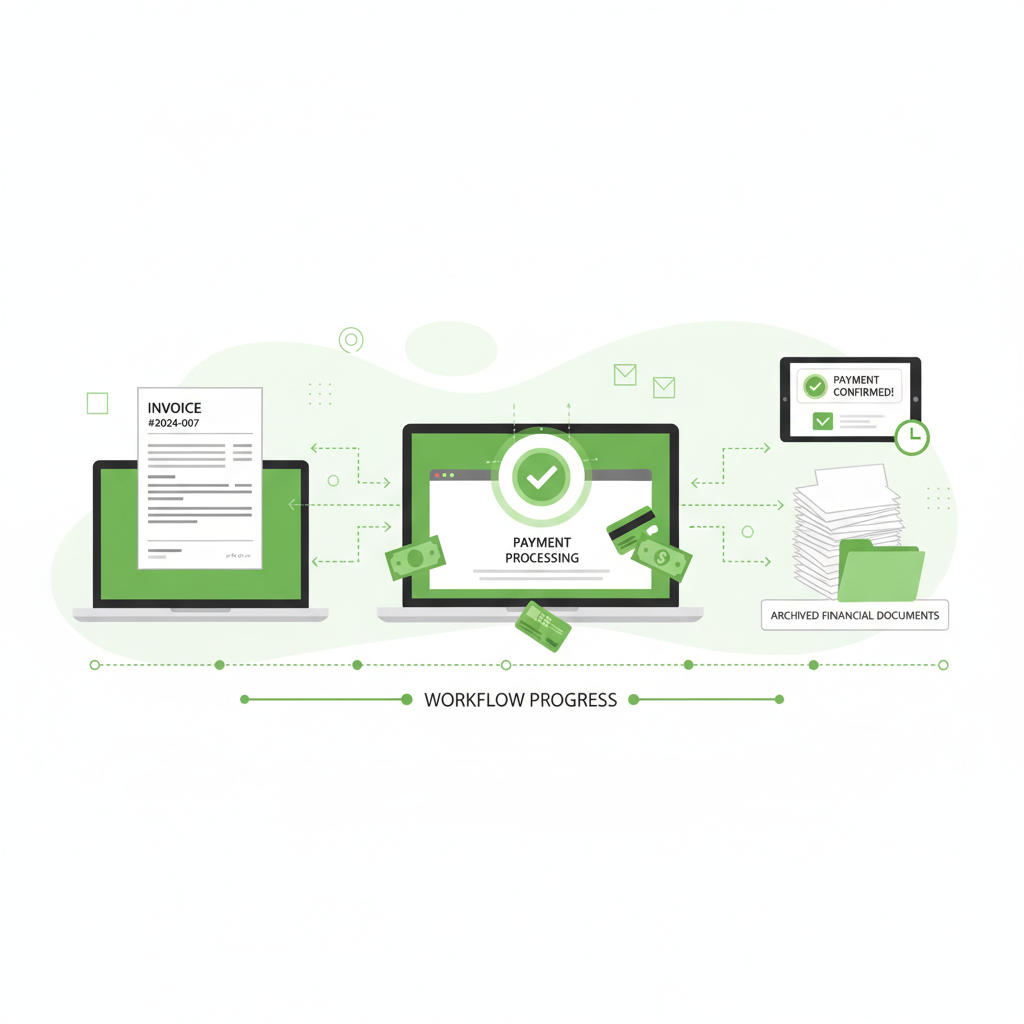
For freelancers, the gap between completing a project and receiving payment can often be a source of stress. The freelance economy moves incredibly fast, and managing cash flow is often the defining factor between a thriving independent business and a stressful hustle. FreshBooks has long positioned itself as the champion of the self-employed, and its 2026 updates double down on making billing as frictionless as possible. Unlike traditional accounting software that forces you to think in terms of double-entry bookkeeping right out of the gate, FreshBooks is built entirely around the invoicing experience, abstracting away the complex accounting logic into a beautifully simple interface.
When you are a solo operator, your time is literally money. Any hour spent formatting a Word document or a spreadsheet into an invoice is an hour you aren't billing a client. FreshBooks eliminates this friction entirely. Over the years, the platform has evolved significantly. What began in 2003 as a modest, simple invoice creation tool to solve a specific pain point—getting paid faster—has now matured into a comprehensive, full-fledged accounting platform. Yet, remarkably, it has managed to retain its original DNA of simplicity. It handles the heavy lifting of double-entry accounting in the background while offering freelancers an interface they can actually understand and enjoy using.
The Evolution: From Simple Invoices to a Full Accounting Platform
It is important to acknowledge how far FreshBooks has come. In its early days, FreshBooks was often categorized purely as 'invoicing software' rather than 'accounting software.' This distinction meant that while it was great for sending a bill, many freelancers still needed a separate system—or a highly engaged accountant—to handle true financial reporting, bank reconciliation, and double-entry ledgers. That paradigm has entirely shifted. FreshBooks completely rebuilt its underlying architecture to support full double-entry accounting, ensuring that debits and credits balance perfectly. This transformation means that FreshBooks is no longer just a tool you outgrow as your business scales; it is a platform that scales with you, satisfying both the creative freelancer who hates math and the meticulous CPA who demands rigorous financial compliance.
Invoice Customization Deep Dive: Branding Your Business
The cornerstone of FreshBooks remains its invoicing module. The platform provides a suite of deeply customizable templates that allow you to inject your personal branding, ensuring that every touchpoint with a client exudes professionalism. From adjusting fonts to uploading custom logos and changing color palettes, your invoices look less like generic bills and more like extensions of your brand identity.
But the customization goes far beyond just aesthetics. FreshBooks allows for an incredible degree of functional customization. You can add custom fields to invoices to capture specific project codes, purchase order numbers, or client-specific references. You can define custom line items with saved descriptions and prices, allowing you to build complex invoices in seconds from a predefined catalog of your services. For ongoing retainers or subscription-based services, the recurring invoices feature is a lifesaver. You can set up an invoice to automatically generate and send on a specific schedule—weekly, monthly, or annually—completely automating your billing cycle.
Proposal and Estimate Creation: Winning the Work
The journey of a freelancer often begins long before the invoice is sent. It starts with a pitch. FreshBooks excels in the proposal and estimate phase, offering tools that help you look larger and more established than you might be. You can build rich proposals that include detailed project scopes, timelines, deliverables, and dynamic pricing tables. These aren't just static PDFs; they are interactive web documents.
Clients can view these proposals via a secure web link, leave comments directly on the document, and ultimately approve them with a legally binding e-signature. This client approval workflow eliminates the messy email chains of 'Looks good to me' and replaces it with a definitive, tracked sign-off. Once a client approves the proposal, the magic of FreshBooks takes over: an estimate can be converted into an active project or a final invoice with a single click, completely removing redundant data entry.
- Create rich, multi-page proposals with images and formatted text
- Include interactive pricing tables that let clients select options
- Capture legally binding e-signatures for project approval
- Convert accepted estimates directly into projects or invoices
- Track when a client views your proposal in real-time
Payment Processing: Getting Paid Faster
The ultimate goal of sending an invoice is, of course, getting paid. FreshBooks Payments provides a frictionless experience that significantly reduces the time it takes for funds to hit your account. Clients can pay directly from the invoice using ACH bank transfers, credit cards (Visa, Mastercard, Amex), or modern digital wallets like Apple Pay. The integration is seamless, and while standard credit card processing fees apply, users routinely report getting paid up to twice as fast when offering digital payment options compared to traditional checks.
For users who prefer third-party processors, FreshBooks offers robust Stripe and PayPal integrations. This flexibility ensures you aren't locked into a single payment gateway. Furthermore, you can set up auto-payment schedules for clients on recurring invoices, meaning their credit card on file is automatically charged every month. This feature alone transforms freelance cash flow from unpredictable to highly reliable.
"FreshBooks doesn't just manage your money; it manages your client relationships by handling the awkward payment conversations for you. The automated follow-ups are a game-changer."
Time Tracking in Detail: Making Every Minute Count
Time tracking is an area where FreshBooks completely outshines generalist accounting competitors like QuickBooks. Integrated directly into the platform, the built-in timer allows you to track billable hours down to the minute. You can start a timer from the web dashboard, use the desktop timer app, or trigger it from the mobile app while on the go. The timesheet view gives you a weekly snapshot of where your time went, making it easy to spot inefficiencies.
Crucially, FreshBooks allows you to distinguish between billable and non-billable hours. You can categorize time by specific project, client, or even individual tasks (e.g., 'Graphic Design', 'Client Meetings', 'Revisions'). For growing agencies, team time tracking is invaluable. You can invite contractors or employees to track their own time against your projects. As the administrator, you review their hours, approve them, and instantly pull those unbilled hours directly onto a client's invoice. You maintain full control over project assignments, ensuring team members only see the projects relevant to them.
Expense Management: OCR and Bank Connections
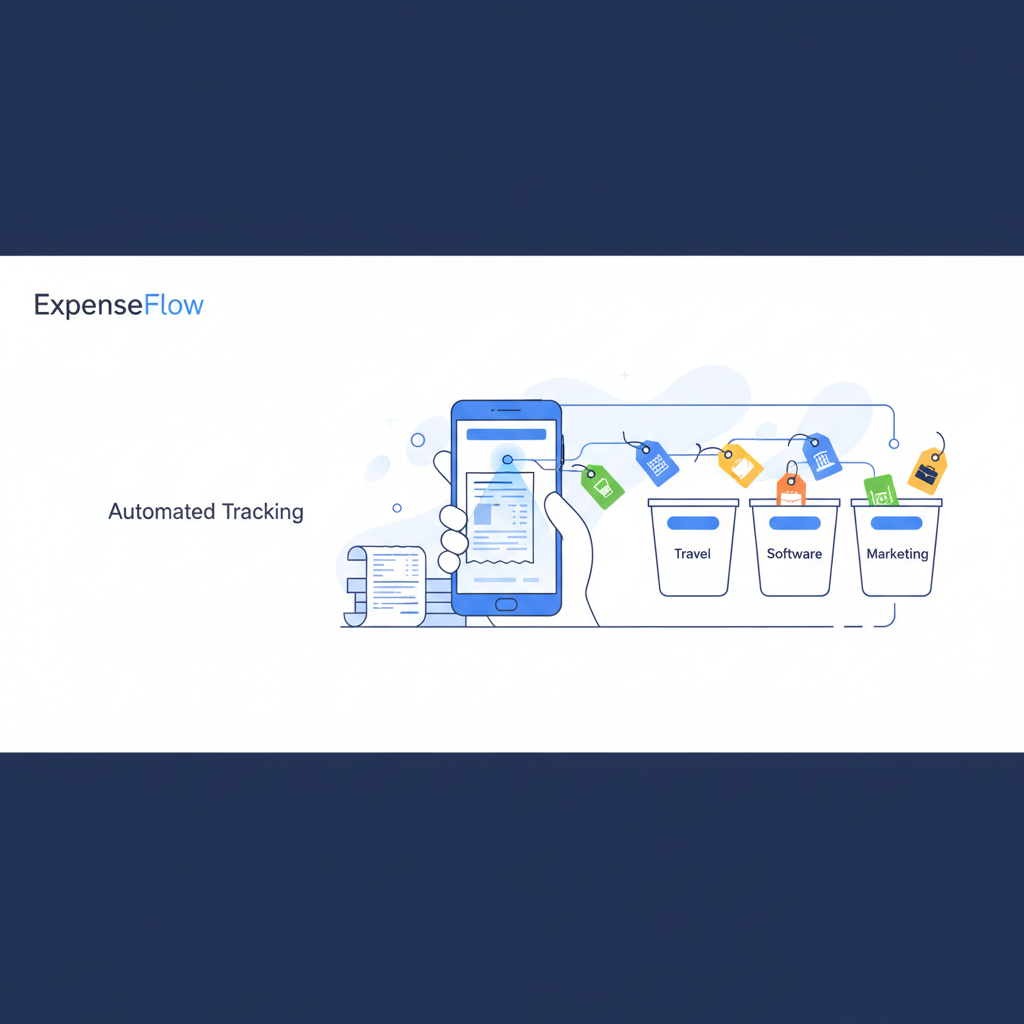
Handling expenses in FreshBooks is remarkably intuitive. The platform connects securely to thousands of banks and credit unions worldwide, automatically importing your daily transactions. You simply assign these imported transactions to tax-friendly categories. But where the expense management truly shines is in its receipt scanning capability.
Using advanced OCR (Optical Character Recognition) technology within the mobile app, you can snap a photo of a lunch receipt, a taxi fare, or a hardware store purchase. The app reads the merchant name, date, and total amount, immediately creating a draft expense record and attaching the image for audit purposes. The OCR quality has improved dramatically over the years, significantly reducing manual data entry.
For freelancers who incur costs on behalf of clients, you can easily mark expenses as 'billable'. You can even apply a markup percentage. When you generate that client's next invoice, FreshBooks will actively prompt you to include these reimbursed expenses, ensuring you never inadvertently absorb costs that should be passed on.
Project Management Features: Beyond the Numbers
While primarily an accounting tool, FreshBooks includes surprisingly robust lightweight project management features tailored for service-based professionals. You can set up projects with flat-rate or hourly billing, establish project budgets, and set strict due dates. The dashboard visualizes project progress, showing you exactly how much of the budget has been consumed versus how much has been billed, allowing for real-time profitability tracking.
Team collaboration is also facilitated within these project workspaces. You can share files securely, engage in discussion threads with clients or team members directly on the project page, and keep all communication centralized. This reduces the reliance on scattered email threads and separate file-hosting services for basic project execution.
- Set and track strict project budgets to avoid overservicing
- Establish project due dates and milestones
- Centralize team collaboration and client discussions
- Securely share project files and deliverables
- Monitor real-time project profitability and unbilled hours
Client Portal and Communication
The client portal is a feature your customers will absolutely appreciate. Instead of digging through months of emails to find old invoices or trying to remember if they paid a specific bill, clients can log into a branded, secure portal. Here, they have a comprehensive view of their account history, can download past invoices as PDFs, review active estimates, and check remaining retainer balances.
The portal also serves as a secure environment for online payments and document sharing. The built-in messaging capabilities keep communication threads attached to specific estimates or invoices. For instance, if a client has a question about a specific line item on an estimate, they can comment right there, and you can reply in-thread, keeping the context perfectly clear.
FreshBooks for Agencies and Small Teams
As a solo freelancer scales into a micro-agency or brings on subcontractors, accounting needs shift dramatically. You no longer just track your own hours; you must manage profitability across multiple team members. FreshBooks accommodates this growth phase exceptionally well by introducing granular team management tools. You can invite employees or contractors into specific projects without exposing your entire financial dashboard. Each team member can log their time independently, and as the administrator, you maintain absolute control over what gets billed to the client, ensuring margins remain healthy while protecting your team's privacy.
One of the most powerful features for small teams is the ability to set distinct billing rates per team member or per project. A senior designer's time might be billed at $150 an hour, while a junior developer is billed at $90. FreshBooks automatically calculates these discrepancies in the background when generating invoices from logged time. This completely eliminates the nightmare of reconciling spreadsheets at the end of the month to figure out who worked on what, drastically reducing administrative overhead and preventing revenue leakage from untracked, unbilled hours.
Client retainers represent the holy grail of agency cash flow—predictable, recurring revenue. FreshBooks offers a dedicated Retainer feature designed specifically for this business model. You can set up a fixed monthly fee, and the system allocates a set number of hours against that retainer. As your team tracks time, it automatically deducts from the available retainer balance. The client portal displays a transparent summary of remaining hours, fostering trust and eliminating scope creep disputes. If a client exceeds their monthly allowance, you can seamlessly transition the overage into a standard invoice.
Automating Recurring Workflows
The administrative burden of running a freelance business can quickly erode your effective hourly rate. To maximize profitability, automating repetitive tasks is non-negotiable. FreshBooks excels in putting recurring financial workflows on autopilot, starting with recurring invoices. For clients on monthly maintenance plans, hosting fees, or ongoing consultation contracts, you can create a recurring profile. FreshBooks will automatically generate and send a perfectly formatted invoice on the specific date you define, week after week or month after month, without requiring a single click from you.
Pairing recurring invoices with auto-billing unlocks the ultimate hands-off payment experience. When a client securely saves their credit card information on their first payment, you can leverage FreshBooks Payments to automatically charge that card for all future recurring invoices. This entirely removes the 'waiting to get paid' phase of the billing cycle. Furthermore, for expenses that hit your bank account regularly—like software subscriptions, insurance premiums, or co-working space fees—you can set up recurring expense rules. FreshBooks will recognize the merchant and automatically categorize the transaction.
Even with the best clients, late payments happen. Chasing down these overdue invoices is awkward and time-consuming. FreshBooks provides a robust system for automating late payment reminders and late fees. You can customize a schedule of polite, automated email nudges to go out when an invoice is 3, 7, or 14 days overdue. If gentle reminders fail, you can configure the system to automatically apply a percentage-based or flat late fee to the invoice total. This enforces your payment terms passively, removing the emotion and friction from the collections process.
- Automatically generate and deliver invoices on any custom schedule
- Charge client credit cards automatically for ongoing retainer agreements
- Automatically categorize recurring bank expenses to save bookkeeping time
- Send staggered, automated email reminders for overdue invoices
- Apply customizable late fees automatically based on your contract terms
Accounting Reports and Double-Entry Precision
Underneath its friendly exterior, FreshBooks is a powerhouse of financial reporting. The introduction of double-entry accounting mode elevated the platform to a professional standard. It maintains a rigorous General Ledger, ensuring that every transaction balances across multiple accounts. This feature is what transforms FreshBooks from a 'freelance toy' into a serious business tool.
You have full access to standard, CPA-approved financial reports. The Profit & Loss (Income Statement) shows exactly how your business is performing over any given period. The Balance Sheet provides a snapshot of your assets, liabilities, and equity. The Tax Summary is invaluable during tax season, aggregating all your sales taxes collected and taxes paid. Other crucial reports include the Accounts Aging report (to track down late payers), the Expense Report, and the detailed Trial Balance.

For more complex financial maneuvers, FreshBooks supports manual Journal Entries and a comprehensive Chart of Accounts, giving you or your accountant granular control over how transactions are categorized. The bank reconciliation process is streamlined, allowing you to match imported bank transactions with entries in FreshBooks, ensuring your books are perfectly accurate.
Pricing Tiers: Scaling with Your Business
FreshBooks structures its pricing largely around the number of active clients you bill, which makes it highly scalable and affordable for those just starting out, while charging appropriately for established agencies with large rosters.
- Lite ($19.95/mo): Bill up to 5 clients. Great for side-hustlers and freelancers just launching their practice. Includes core invoicing and expense tracking.
- Plus ($33.00/mo): Bill up to 50 clients. The sweet spot for most full-time freelancers. Adds double-entry accounting reports, receipt scanning OCR, and business health reports.
- Premium ($60.00/mo): Bill up to 500 clients. Ideal for growing agencies and established consultancies that need to manage a vast client base and deeper profitability tracking.
- Select (Custom Pricing): For enterprise-level needs billing 500+ clients. Includes a dedicated account manager, customized onboarding, and lower credit card processing rates.
The Mobile App: True Business Mobility
The modern freelancer is rarely chained to a desk, and the FreshBooks mobile app (available on iOS and Android) ensures your business moves with you. The app is not just a companion viewer; it is a fully functional tool. You can create and send invoices from a coffee shop, capture receipt images immediately after a client lunch, and reply to client comments on estimates directly from your phone.
A standout feature for mobile professionals is the automatic mileage tracking. The app can utilize your phone's GPS to automatically log trips, allowing you to easily categorize them as business or personal with a simple swipe. This ensures you never miss out on valuable mileage deductions at tax time. Furthermore, the app features an offline mode, allowing you to log time or draft expenses while on a flight or in a dead zone, automatically syncing your data once you reconnect.
The Integration Ecosystem
No software exists in a vacuum. FreshBooks boasts over 200 native integrations, allowing it to act as the financial hub of your broader tech stack. If you hire employees, it integrates seamlessly with Gusto for streamlined payroll management. For ecommerce operators, the Shopify and Squarespace integrations automatically import orders as invoices. If you use HubSpot for CRM or Mailchimp for email marketing, you can sync your client lists to avoid duplicate data entry.
And for everything else, there is robust Zapier support, enabling custom automations to connect FreshBooks with virtually any web application you use to run your business.
"For a creative professional, administrative software must be visually pleasing and simple. FreshBooks nails the aesthetic without sacrificing financial rigor. It's the only accounting software I actually look forward to logging into."
Tax Time Preparation: Eliminating the Panic
Tax season is universally dreaded by freelancers, but FreshBooks is designed to minimize the panic. Throughout the year, as you categorize expenses into tax-friendly categories, FreshBooks is essentially preparing your tax return. Come tax time, you can utilize the dedicated Accountant Access feature to invite your CPA into your account for free. They receive a specialized dashboard allowing them to export the precise reports they need, access Journal Entries, and download the General Ledger.
If you hire subcontractors, the platform helps you track payments made to vendors, ensuring you have accurate records to generate 1099 forms at year-end. The comprehensive export capabilities mean that whether you use TurboTax or a high-end accounting firm, your data is easily portable and meticulously organized.
Year-End Accounting Checklist for Freelancers Using FreshBooks
As December approaches, many independent professionals experience a profound sense of dread regarding tax preparation. However, maintaining your books accurately throughout the year in FreshBooks transforms year-end from a crisis into a simple checklist. The first step is ensuring bank reconciliation is completely up to date. You must review the Bank Reconciliation tab to guarantee that every transaction imported from your checking account or business credit card has a corresponding categorized expense or paid invoice in FreshBooks. This step alone catches the vast majority of missing deductions and duplicate entries.
Next, you need to meticulously review your Accounts Receivable. Run the Accounts Aging report to identify any lingering unpaid invoices from earlier in the year. You must decide whether to make a final collection attempt, send them to a collections agency, or officially write them off as bad debt. Writing off uncollectible invoices ensures you do not inadvertently pay income taxes on money you never actually received. FreshBooks handles the journal entry for writing off bad debt cleanly, keeping your General Ledger perfectly balanced for your CPA.
Finally, leverage the platform's collaborative features to hand off the heavy lifting to a tax professional. Instead of printing hundreds of pages of reports or downloading massive, vulnerable CSV files, invite your accountant directly into your FreshBooks environment using the Accountant Access feature. They can independently run the Profit & Loss statement, Balance Sheet, and Trial Balance. They can also review your categorized expenses, make necessary year-end adjusting journal entries, and ensure your depreciation schedules are correct, all without disrupting your daily invoicing workflow.
FreshBooks vs. QuickBooks, Wave, and Xero
How does FreshBooks stack up against the competition? It depends heavily on your business model. QuickBooks Online is the undisputed industry heavyweight, offering immense power and inventory management. However, for a service-based freelancer, QuickBooks can feel overwhelmingly complex, cluttered with features you will never use. FreshBooks prioritizes the invoicing and time-tracking workflow, which aligns perfectly with how freelancers actually operate.
Wave Accounting is an attractive alternative because its core accounting features are free. However, Wave lacks the sophisticated time tracking, robust project management, and advanced proposal features that make FreshBooks a comprehensive suite. Wave is excellent for micro-businesses on a tight budget, but it can feel limiting as you grow.
Xero is closer to QuickBooks in its target audience, focusing heavily on accountants and larger small businesses. While Xero is beautiful and powerful, its time tracking and invoicing features often require add-ons or higher pricing tiers to match the native capabilities of FreshBooks. For purely service-based agencies, FreshBooks often presents a more cohesive, all-in-one experience.
- Versus QuickBooks: FreshBooks offers a much gentler learning curve and superior native time tracking tailored for service professionals.
- Versus Wave: FreshBooks provides robust project management and proposal tools that Wave's free platform lacks.
- Versus Xero: FreshBooks focuses on the business owner's experience rather than the accountant's, offering a more intuitive day-to-day workflow.
Deep Dive: FreshBooks vs. Wave (Why FreshBooks Justifies the Cost)
A frequent dilemma for newly minted freelancers is choosing between a premium solution like FreshBooks and a genuinely free alternative like Wave Accounting. Wave's primary appeal is undeniable: its core accounting, invoicing, and receipt scanning features cost absolutely nothing. For a side-hustler generating only a few thousand dollars a year with minimal expenses, Wave is an exceptional starting point. It provides a legitimate double-entry accounting ledger without the monthly overhead, allowing early-stage entrepreneurs to keep their operational costs as close to zero as possible.
However, as a freelance business matures, the limitations of a free tool become apparent, and the monthly subscription fee of FreshBooks quickly justifies itself. The most significant differentiator is time tracking. FreshBooks was built with billable hours as its foundation. Its native time tracker, detailed timesheet reports, and seamless integration of unbilled hours onto invoices are vastly superior to Wave, which treats time tracking as an afterthought. If you sell your time, the hours saved and the previously lost unbilled time recovered by FreshBooks will pay for the subscription many times over.
Furthermore, FreshBooks is designed to actively help you win business, whereas Wave is primarily designed to simply record it. The sophisticated proposal creation tools in FreshBooks—featuring e-signatures, interactive pricing tiers, and rich media—allow you to present a deeply professional image during the pitching phase. Wave's estimating tools are much more basic. When competing for high-value contracts, the polished client experience provided by the FreshBooks client portal, automated follow-ups, and superior document presentation creates an aura of established professionalism that free software simply cannot match.
Conclusion: Who Should Use FreshBooks?
FreshBooks is not for everyone. If you run a retail store, manage a complex supply chain, or carry significant physical inventory, you should look elsewhere—likely toward QuickBooks or NetSuite. However, if your business is selling your time, your expertise, or your creative output, FreshBooks is arguably the best platform on the market.
"FreshBooks recognizes that the modern freelancer wears many hats. By streamlining financial duties into a cohesive platform, it empowers solo workers to focus on their craft, confident that their cash flow is secure."
By seamlessly blending professional invoicing, automated payment collection, granular time tracking, and rigorous double-entry accounting into an interface that is genuinely a pleasure to use, FreshBooks empowers solo professionals and growing agencies to take control of their finances. It transforms accounting from a burdensome administrative chore into a strategic advantage, giving you back the time you need to focus on what you actually love doing: delivering exceptional work for your clients.
Comments
No comments yet. Be the first to share your thoughts!
You must be logged in to post a comment.
Sign up to comment