


In 2026, the landscape of small business accounting has become increasingly automated, and QuickBooks Online is leading the charge. For many entrepreneurs, bookkeeping can feel like a secondary chore that eats away at productive hours. However, QuickBooks has introduced a suite of AI-driven tools that dramatically reduce manual data entry. By linking directly with over 10,000 banking institutions globally, the platform categorizes transactions in real-time, allowing business owners to trust the data rather than double-checking every receipt.
The modern financial ecosystem requires agility, and QuickBooks has answered the call by integrating deep machine learning algorithms that adapt to your specific business categorization habits. This means that after a brief onboarding period, the software begins to predict exactly where each dollar should be assigned. Small business owners often report saving upwards of 15 hours a month on reconciliation tasks alone, freeing them up to focus on strategic growth rather than administrative overhead.
Complete Setup Walkthrough: From Zero to Organized
Getting started with QuickBooks Online is no longer the daunting task it once was. The setup wizard guides you through the initial configuration step-by-step. It starts with creating your account and entering fundamental company information: your legal business name, address, tax ID, and industry type. This industry selection is crucial because QuickBooks uses it to automatically generate a customized Chart of Accounts (COA) tailored to your specific sector.
Once the COA is established, the next critical step is the bank connection wizard. Using Plaid-powered bank feeds, QuickBooks securely connects to your checking accounts, savings accounts, and credit cards. You simply log in via your bank's portal within the app, and the software begins pulling in transaction history—typically up to 90 days. During this phase, you are also prompted to set your opening balances. It's imperative that these match your bank statements on the day you begin tracking, as this forms the foundation of all future reconciliations.
AI Transaction Categorization: The Machine Learning Revolution
The beating heart of modern QuickBooks Online is its AI-driven categorization engine. Unlike older systems that relied entirely on rigid, user-defined rules, the ML model in QuickBooks constantly learns from both your behavior and the collective behaviors of millions of similar businesses. When a transaction arrives from a recognizable vendor—say, 'Staples' or 'Delta Airlines'—it immediately suggests a category like 'Office Supplies' or 'Travel'.
What makes this feature truly powerful is how it handles ambiguous transactions. If a vendor could be categorized in multiple ways, the system presents a suggestion but waits for your confirmation. When you manually override a suggestion, the ML algorithm updates its internal weighting. The next time a similar transaction appears, it applies your learned preference. Over time, the accuracy rate climbs from roughly 70% during week one to over 95% after a few months of active use.
For Ultimate control, you can establish custom banking rules. These allow you to set strict parameters: 'If a transaction comes from Vendor X, and the amount is strictly less than $50, always categorize it as Meals and automatically accept it into the register.' This level of automation turns bookkeeping from a daily chore into a weekly five-minute review.
Predictive Cash Flow and Forecasting Deep Dive
One of the most significant upgrades this year is the predictive cash flow dashboard. Using historical data and upcoming scheduled invoices or bills, QuickBooks now projects your financial runway up to 90 days out with impressive accuracy. This feature alone has proven invaluable for seasonal businesses needing to anticipate tight periods and arrange for short-term financing before it becomes an emergency. It takes the guesswork out of payroll cycles and inventory purchasing.
The forecasting methodology relies on a blend of your historical cash burn rate and precise due dates of accounts receivable and payable. If Client X historically pays invoices 15 days late, the cash flow planner adjusts its projections accordingly. You can run robust scenario planning. For example, you can toggle a switch to see what happens if a major contract is delayed by 30 days, or if you decide to purchase a new piece of equipment next week. The system issues actionable alerts when your projected balance dips below a threshold you define.
"The cash flow predictor isn't just a reporting tool; it's a strategic advisor that alerts you to financial droughts weeks before they happen."
The Ultimate Invoicing Suite
Getting paid faster is the ultimate goal, and the QuickBooks invoicing suite is engineered precisely for this purpose. The platform offers a variety of professional templates that can be customized with your logo, brand colors, and specific terms. Beyond aesthetics, the functionality is top-tier. You can set up recurring invoices for retainer clients, ensuring bills go out on the 1st of the month without you lifting a finger.
For service professionals, progress invoicing is a game-changer. You can convert a massive estimate into multiple smaller invoices based on project milestones (e.g., 25% upfront, 50% midway, 25% on completion). Batch invoicing allows you to send out hundreds of identical bills to different clients simultaneously. Furthermore, every invoice can include a secure payment link via QuickBooks Payments, allowing clients to pay instantly via ACH bank transfer, Apple Pay, or credit card.
- Customizable, brand-aligned professional invoice templates
- Automated recurring invoices with auto-charge capabilities
- Progress invoicing linked directly to accepted estimates
- Batch invoicing for subscription-based business models
- Integrated payment links supporting ACH and all major credit cards
Receipt Scanning and Expense Management
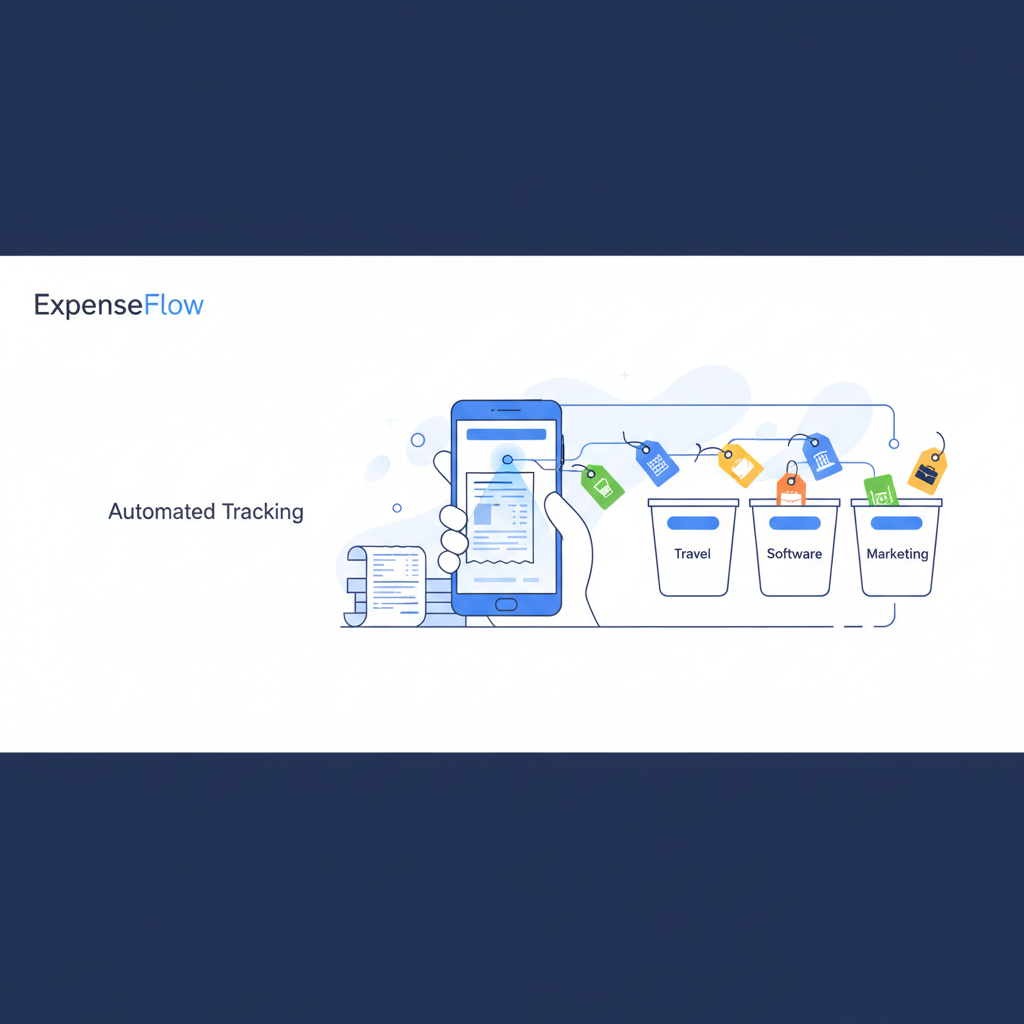
Expense tracking has evolved far beyond the shoebox full of receipts. Today, the mobile application allows users to instantly capture, digitize, and categorize physical receipts. Optical Character Recognition (OCR) technology extracts vendor names, amounts, and dates instantly, matching them against bank feeds. If a paper receipt matches an imported bank transaction, QuickBooks links them together, providing an impenetrable audit trail for tax season.
For professionals constantly on the road, the built-in mileage tracking is a massive time-saver. By utilizing your smartphone's GPS, the QuickBooks app automatically logs every trip. You simply swipe left for personal trips and right for business trips. The software automatically calculates the standard IRS mileage deduction rate, adding thousands of dollars in legitimate deductions to your bottom line at year-end without requiring a separate tracking app. It even supports per diem tracking for extended business travel.
Payroll Integration: Native vs. Third-Party
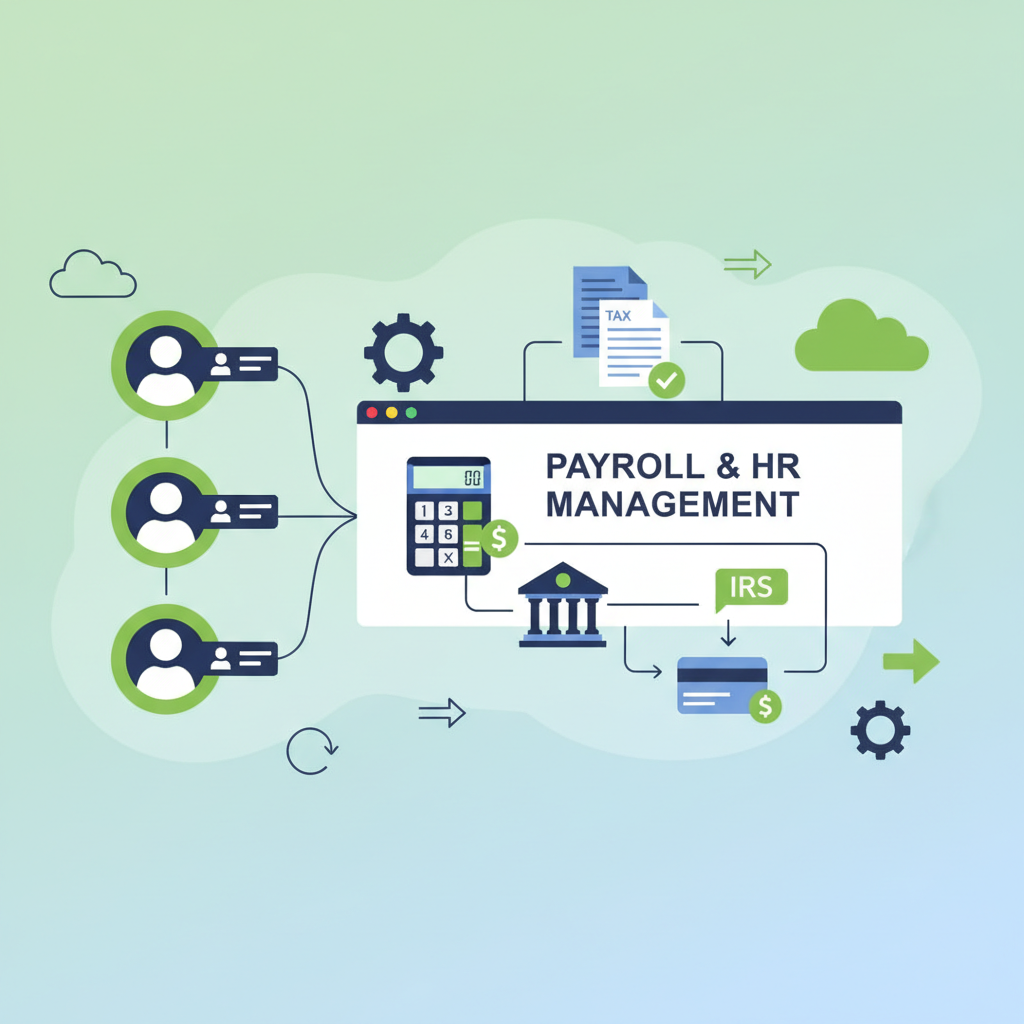
QuickBooks offers a native payroll add-on that tightly integrates with your general ledger. When you process payroll, all journal entries regarding wages, employer taxes, and liabilities are recorded instantly. The native system supports direct deposit, automated state and federal tax filing, and end-of-year W-2 and 1099 preparation. It even offers robust benefits administration modules, partnering with health insurance and 401(k) providers.
However, many businesses choose to integrate third-party solutions like Gusto. While Gusto may offer a slightly more modern HR interface and employee onboarding experience, the native QuickBooks Payroll ensures zero sync errors. The decision often comes down to whether you prioritize a unified ecosystem (QuickBooks Native) or specialized HR tools (Gusto). Both sync reliably, but the native option eliminates the need for API connections.
Inventory Management: Beyond Basic Tracking
For product-based businesses, the Plus and Advanced tiers offer sophisticated inventory management capabilities. You can track stock levels in real-time as sales are made and invoices are generated. The system automatically calculates Cost of Goods Sold (COGS) using the FIFO (First In, First Out) method, ensuring your profitability margins are accurately reflected on your P&L.
You can set custom reorder points for every SKU. When stock dips below this threshold, QuickBooks triggers an alert and allows you to instantly generate a Purchase Order (PO) to send to your vendor. With the mobile app, you can even utilize basic barcode scanning to receive inventory into the warehouse, reducing manual entry errors drastically.
Project Profitability and Class Tracking
Project profitability tracking is a powerhouse feature. Ideal for agencies, construction firms, and consultants, this feature lets you attribute specific expenses, payroll costs (via timesheets), and invoices to individual projects. A visual dashboard shows you at a glance whether a project is running over budget or delivering the expected margins. It shifts your view from a high-level company overview down to the granular unit economics of every job you take on.
"Understanding project-level profitability changed how we price our services entirely. We realized some of our 'best' clients were actually costing us money."
Complementing this is Class and Location tracking. If you operate across multiple locations or divisions, you can tag every transaction. You can then run individual Profit and Loss statements for each storefront, department, or geographic region. This allows leadership to perform segment analysis and quickly identify which areas of the business are subsidizing the others.
Tax Preparation Features: A CPA's Best Friend
When tax season arrives, QuickBooks transforms from a management tool into a compliance lifesaver. The platform automatically maps your chart of accounts to standard tax forms (like Schedule C or Form 1120). It tracks your taxable income throughout the year and provides accurate quarterly tax estimates, helping you avoid underpayment penalties from the IRS.

For businesses utilizing freelancers, the 1099 contractor management system is incredibly robust. You can request W-9 forms electronically throughout the year. In January, QuickBooks compiles all payments made to eligible contractors, generates the 1099-NEC forms, and allows you to e-file directly with the IRS and mail copies to contractors with just a few clicks.
Complete Pricing Breakdown (2026 Tiers)
Understanding the pricing structure is crucial for selecting the right tool. QuickBooks offers several tiers designed to scale alongside your business. Note that prices can vary based on promotions, but these are the standard baselines:
- Simple Start ($30/mo): Best for sole proprietors needing basic income/expense tracking, invoicing, receipt capture, mileage tracking, and basic reporting. Single user only.
- Essentials ($60/mo): Adds comprehensive bill management, time tracking, and allows up to 3 users. Ideal for growing service-based businesses.
- Plus ($90/mo): Introduces inventory tracking, project profitability, and supports up to 5 users. The sweet spot for retail, agencies, and e-commerce.
- Advanced ($200/mo): Brings enterprise-level reporting, batch transaction processing, workflow automation, custom user roles, and dedicated support for larger teams (up to 25 users).
Advanced Reporting and User Permissions
Data is useless without visualization. QuickBooks Online includes over 80 built-in reports, ranging from standard balance sheets and P&Ls to complex A/R aging summaries and inventory valuation reports. The custom report builder allows you to filter by specific classes, date ranges, or customer types, and you can save these customized views for future use. The 'Management Reports' feature lets you bundle multiple reports into a professional, presentation-ready PDF complete with a cover page and table of contents—perfect for board meetings.
As teams grow, data security and access control become paramount. The Advanced tier shines here, offering deeply customized user permissions (Role-Based Access Control). You can give a sales manager access to view invoices and estimates without letting them see payroll data or bank balances. Furthermore, you can invite your external CPA or bookkeeper as an 'Accountant User,' giving them special tools to reclassify bulk transactions, post adjusting journal entries, and prepare your books for tax season without consuming one of your user licenses.
- Over 80 pre-built financial and management reports
- Custom report builder with savable templates
- Granular role-based access control (RBAC)
- Free accountant user invitations
- Always-on, timestamped audit log tracking every system change
Mobile App and Integration Ecosystem
The QuickBooks mobile app (iOS and Android) is a fully-featured companion to the web interface. It allows you to check banking balances, create and send invoices from a job site, capture receipts, track mileage automatically, and even deposit checks remotely (with supported accounts). For field service workers, the time tracking feature allows them to clock in and out, linking their hours directly to specific client projects.
No software exists in a vacuum. QuickBooks Online boasts an integration ecosystem of over 750 validated third-party applications. Top integrations include Shopify for e-commerce, Salesforce for CRM, Square for POS transactions, and Bill.com for complex accounts payable workflows. This vast app marketplace ensures that as your business operations become more complex, QuickBooks can remain the central nervous system of your tech stack.
Customer Support and Competitor Comparison
When things go wrong, support is critical. QuickBooks offers live chat, callback phone support (eliminating hold times), and a massive, highly active community forum. For complex setups, you can hire a certified 'QuickBooks ProAdvisor'—independent accountants and consultants trained specifically on the platform.
"The community forums are often faster than official support. If you have a highly specific accounting question, chances are a ProAdvisor has already answered it thoroughly online."
How does it stack up against competitors? - **QuickBooks vs. Xero:** Xero offers unlimited users on all plans and a brilliant reconciliation screen, but QuickBooks wins on robust reporting and deeper integration in the US market. - **QuickBooks vs. FreshBooks:** FreshBooks is arguably easier for freelancers and micro-businesses focusing purely on invoicing, but lacks the double-entry accounting rigor and inventory tools of QuickBooks. - **QuickBooks vs. Zoho Books:** Zoho Books provides incredible value and integrates flawlessly with the Zoho suite, but QuickBooks has a larger network of accountants who know the system natively.
QuickBooks Live Bookkeeping Service: Expert Help on Demand
For business owners who realize that software alone isn't enough, Intuit introduced QuickBooks Live Bookkeeping. This service pairs you with a dedicated, certified virtual bookkeeper who understands your industry. Instead of hiring a part-time employee, you gain access to an entire team of professionals who work directly within your existing QuickBooks account. Your dedicated bookkeeper will schedule regular video calls to discuss your financial health, ensuring you are never left in the dark regarding your cash flow or outstanding liabilities. This human touch combined with cutting-edge software is a game-changer for entrepreneurs who want professional oversight without the overhead of an in-house accounting department.
The Live Bookkeeping service is divided into several key phases, starting with a comprehensive onboarding and cleanup process. During the first month, your bookkeeping team will dive deep into your historical data, identifying miscategorized transactions, reconciling months of neglected bank statements, and structuring your Chart of Accounts for optimal tax reporting. This initial cleanup ensures that your financial foundation is rock solid before moving into ongoing monthly maintenance. The peace of mind that comes from knowing your historical records are accurate cannot be overstated, especially if you plan to seek funding or eventually sell your business.
Once the cleanup is complete, the service transitions into ongoing monthly management and proactive year-end preparation. Your bookkeeper takes over the tedious tasks of categorizing day-to-day transactions, reconciling accounts at month-end, and generating detailed financial reports for your review. As tax season approaches, they work closely with your CPA to ensure all necessary documentation, including 1099s and depreciation schedules, are fully prepared. Pricing for QuickBooks Live Bookkeeping scales based on your monthly expenses, typically ranging from $200 to $400 per month on top of your software subscription, making it a highly cost-effective alternative to traditional accounting firms.
Advanced Inventory: Unleashing the Power of Complex Logistics
For retail and manufacturing businesses dealing with complex supply chains, the Advanced Inventory module unlocks a new realm of logistical control. While basic QuickBooks handles simple buying and selling, the advanced features allow you to bundle products and manage intricate inventory assemblies. If you sell a 'Starter Kit' comprised of five different individual SKUs, the system will automatically deduct the correct quantities of each component whenever the kit is sold. This eliminates the need for manual inventory adjustments and ensures your stock levels are always perfectly synced with your sales data, preventing costly stockouts and backorders.
Another transformative feature within the Advanced Inventory suite is native barcode scanning capability. Using either a dedicated mobile scanner or simply a smartphone running the QuickBooks app, warehouse employees can receive new shipments, pick orders, and perform cycle counts with laser accuracy. This digital workflow completely eradicates the human error typically associated with manual data entry. As soon as a barcode is scanned, the central QuickBooks database is updated in real-time, giving management instantaneous visibility into current stock levels across multiple warehouse locations, which is critical for fulfilling multi-channel e-commerce orders efficiently.
Furthermore, the advanced system supports sophisticated inventory valuation methods beyond simple average costing. You can choose to implement First-In, First-Out (FIFO) valuation, which is often crucial during periods of high inflation to ensure your profitability margins and tax liabilities are calculated accurately. The robust reporting engine allows you to track landed costs, incorporating shipping, customs, and insurance into the true cost of goods sold. By understanding the precise profitability of every individual SKU under varying market conditions, business leaders can make incredibly informed pricing and purchasing decisions that directly impact the bottom line.
Industry-Specific Editions: Tailored for Your Vertical
While QuickBooks Online is a phenomenal general-purpose tool, Intuit recognizes that different verticals have drastically different accounting requirements. To address this, they offer Industry-Specific Editions that come pre-configured with customized charts of accounts, specialized reports, and unique terminology tailored to your exact niche. For instance, the Contractor Edition focuses heavily on job costing, allowing construction firms to track labor, materials, and overhead against specific project estimates. It includes specialized reports for 'Job Profitability Detail' and 'Unpaid Bills by Job,' which are critical for surviving the tight margins of the construction industry.
For charitable organizations, the Nonprofit Edition transforms standard business terminology into language appropriate for the sector. 'Customers' become 'Donors,' and 'Invoices' become 'Pledges.' More importantly, it provides robust fund accounting capabilities, allowing organizations to track restricted and unrestricted grants separately. Nonprofits can instantly generate a 'Statement of Financial Position' and a 'Statement of Activity,' ensuring full compliance with stringent board and IRS reporting requirements. This level of transparency is absolutely essential for maintaining donor trust and securing future grant funding.
The Manufacturing and Wholesale Edition is built for businesses that build and distribute products at scale. It heavily leverages the advanced inventory features mentioned earlier, but adds specialized workflows for sales order fulfillment and build assemblies. Manufacturers can track the consumption of raw materials throughout the production process, monitor work-in-progress (WIP) inventory, and calculate the final cost of finished goods with pinpoint accuracy. The system also supports distinct pricing levels, allowing you to offer customized wholesale discounts to your largest distributors without affecting your direct-to-consumer retail pricing.
Finally, the Professional Services Edition is designed explicitly for law firms, architectural agencies, engineering firms, and consultants. Time is the primary currency for these businesses, and this edition offers unparalleled time-tracking and billing integrations. It allows you to set different billing rates for different employees or specific types of tasks, seamlessly passing those unbilled hours directly onto the client's next invoice. The specialized 'Billed/Unbilled Hours' reporting ensures that no billable time ever slips through the cracks, maximizing revenue for every project and providing clear transparency to clients regarding how their retainer is being utilized.
The Ultimate Year-End Tax Checklist
Preparing for tax season can be an anxiety-inducing experience for any business owner, but QuickBooks dramatically simplifies the process if you follow a structured approach. Creating a year-end tax checklist within your organization ensures that your financial data is pristine before handing it over to your CPA. The first and most critical phase of this process is complete reconciliation. You must methodically reconcile every single bank account, credit card, and loan account against your December 31st statements. Even a minor discrepancy can cascade into significant tax reporting errors, so this step cannot be rushed or overlooked.
Once your cash and credit accounts are reconciled, the focus must shift to reviewing your accounts receivable and accounts payable. Take the time to meticulously review your A/R aging report. If there are invoices from early in the year that are clearly uncollectible, you need to officially write them off as bad debt so you don't pay taxes on revenue you never actually received. Similarly, review your A/P aging report to ensure all bills you owe have been properly recorded in the correct fiscal year, maximizing your deductible expenses and lowering your overall tax burden.
The final phase of year-end preparation involves verifying your payroll records and contractor payments. Ensure that all employee W-2s match your payroll summary reports and that every independent contractor who was paid more than $600 has a current W-9 on file. QuickBooks can automate the generation of 1099-NEC forms, but only if the vendor profiles are properly configured with valid tax ID numbers. To help you navigate this critical period, we've compiled a comprehensive 15-step checklist to guarantee your books are absolutely airtight before the tax filing deadline.
- Reconcile all bank and credit card accounts up to December 31st.
- Review and resolve any uncleared or lingering transactions in your bank feed.
- Audit Accounts Receivable and formally write off uncollectible bad debt.
- Audit Accounts Payable to ensure all expenses are recorded in the correct year.
- Conduct a physical inventory count and adjust quantities in the system.
- Review your fixed asset list and calculate necessary depreciation entries.
- Verify that all owner's draws and personal expenses are correctly categorized.
- Collect missing W-9 forms from all independent contractors.
- Generate and e-file 1099-NEC forms for eligible contractors via QuickBooks.
- Reconcile payroll summary reports against your filed quarterly 941 forms.
- Review the Profit and Loss statement for unusually large or miscategorized expenses.
- Compare this year's Balance Sheet to last year's to spot glaring anomalies.
- Ensure all business mileage is accurately logged and calculated.
- Lock your books in QuickBooks with a password to prevent accidental changes.
- Invite your CPA to your account as an Accountant User for final review.
Enterprise-Grade Security and Data Integrity
As financial data becomes increasingly digitized, enterprise-grade security and data integrity are non-negotiable. QuickBooks Online operates on the same advanced encryption standards utilized by major global banking institutions. All data transmitted between your browser and Intuit's servers is secured using 256-bit SSL/TLS encryption, ensuring that malicious actors cannot intercept your sensitive financial information. Furthermore, to protect against compromised passwords, QuickBooks mandates Multi-Factor Authentication (MFA) for all users, requiring a secondary verification code sent via SMS or authenticator app whenever a login attempt occurs from an unrecognized device.
Internal security is just as important as external protection, which is why QuickBooks offers granular user permission settings. Business owners can deploy Role-Based Access Control (RBAC) to ensure employees only see the data necessary to perform their specific jobs. For example, a warehouse manager can be granted access to inventory levels and purchase orders, while being completely restricted from viewing the company's payroll details, bank balances, or profit margins. This principle of least privilege minimizes the risk of internal data theft and drastically reduces the chances of an employee accidentally modifying critical financial records.
To ensure complete accountability, the software maintains an 'Always-On' Audit Log. This unalterable activity log meticulously records every single action taken within the system, stamping it with the exact time, date, and user who performed the task. If a transaction is deleted or an invoice is modified, the administrator can instantly see who made the change and what the original values were. Finally, QuickBooks provides robust data export and automated backup solutions. While Intuit maintains redundant backups across multiple secure server farms, users can also export their entire general ledger to Excel or utilize third-party backup apps for ultimate peace of mind.
Final Verdict: Who is QuickBooks Best For?
QuickBooks Online remains the industry standard for a reason. It is best suited for growing small-to-medium businesses that need a robust, scalable platform capable of handling complex scenarios like inventory, multi-state payroll, and detailed project profitability. If you plan to work closely with a CPA, choosing QuickBooks is the path of least resistance, as nearly every accounting professional is fluent in its architecture.
- BEST FOR: Scaling startups, retail, agencies, and businesses with employees.
- BEST FOR: Companies needing deep inventory and project tracking.
- LOOK ELSEWHERE IF: You are a solo freelancer needing only simple invoice generation (look at FreshBooks).
- LOOK ELSEWHERE IF: You are a massive enterprise requiring full-scale ERP solutions (look at NetSuite).
In conclusion, QuickBooks Online's commitment to incorporating cutting-edge AI, expanding its app ecosystem, and offering deep financial insights ensures that it will continue to serve as the financial backbone for millions of businesses worldwide.
Comments
No comments yet. Be the first to share your thoughts!
You must be logged in to post a comment.
Sign up to comment